
How I use AI to cut through email overwhelm in 5 minutes
Drowning in Unread Emails? Here’s How to Fix it Without Procrastination

Last week, I accidentally saw a friend’s phone notification: 40,000+ unread emails.
My jaw dropped.
I was like, WOW how did you let that happen?
She told me she kept putting it off, waiting for the “right time” to go through them.
But of course, the longer she overthought how much time it would take, the more she procrastinated… until the number got so huge she didn’t even know where to start anymore.

And honestly, I know exactly how we ambitious overthinkers let this happen.
I’ve subscribed to multiple AI newsletters to keep up with trends. And guess what?
Because of the delivery time, they usually land during busy work hours or out having fun. I see the notification and think, I’ll read it later. But later never comes soon enough.
So what do I do differently now to catch up on unread emails without stress?
I use AI to batch-read my inbox in just a few minutes. Here are 2 ways you can try it too!

1. ChatGPT Pro (Agent Mode)
Pros:
Super simple to set up once connected to your inbox
Excellent at removing sponsor ads and highlighting only the key points
Summaries are clear, structured, and easy to skim
Cons:
Requires a paid ChatGPT Pro subscription
Needs some initial setup in settings to connect with your email, but it takes only 1 min
✳️ Try this Prompt:
Summarize my most recent unread Primary inbox emails (up to 10), focusing on newsletters or news updates. For each email, extract all major topics covered (not just the headline), then return the result in a clean Notion note format.

Details & Format:
Include fields:
- Title: email subject line
- Date (PT): local Pacific Time of the email
- Sender: sender name + address
- Topics Covered: bullet list of all distinct stories or sections in the newsletter
- Why it matters: one short line per topic about its significance (business, AI, product growth, market shift, etc.)
- Gmail link: direct link to the email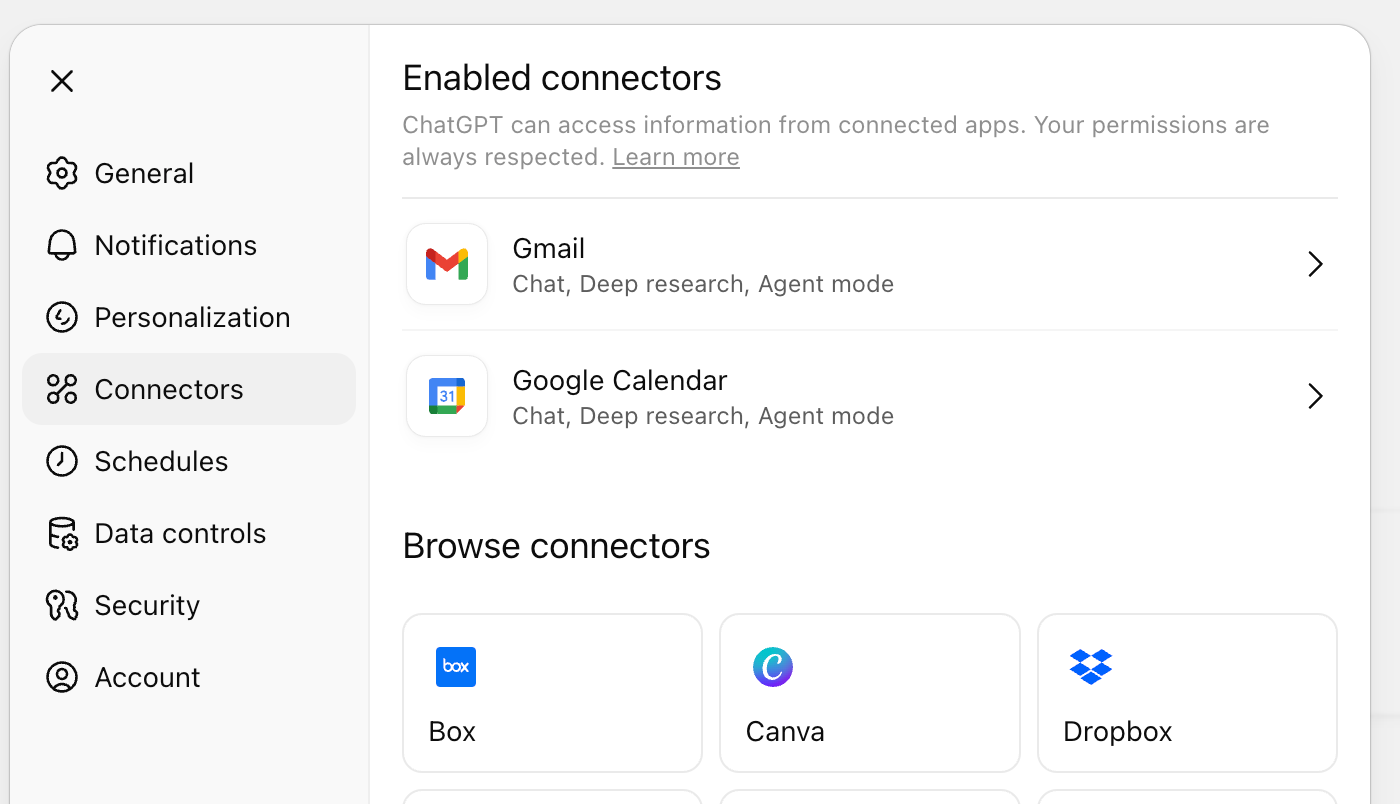
2. Lutra.ai (Free Option)
Pros:
Free plan gives you 15 summaries per day + 200 credits per month
No ChatGPT Pro subscription required
Great way to experiment if you’re just getting started with AI
Cons:
May need a bit more prompt tweaking to get results as polished as ChatGPT
Free tier can feel limiting if you have a very full inbox
👉 Little disclaimer: I’m not sponsored by either of these tools. I’m just sharing what I personally found helpful.
✳️ Try this Prompt:
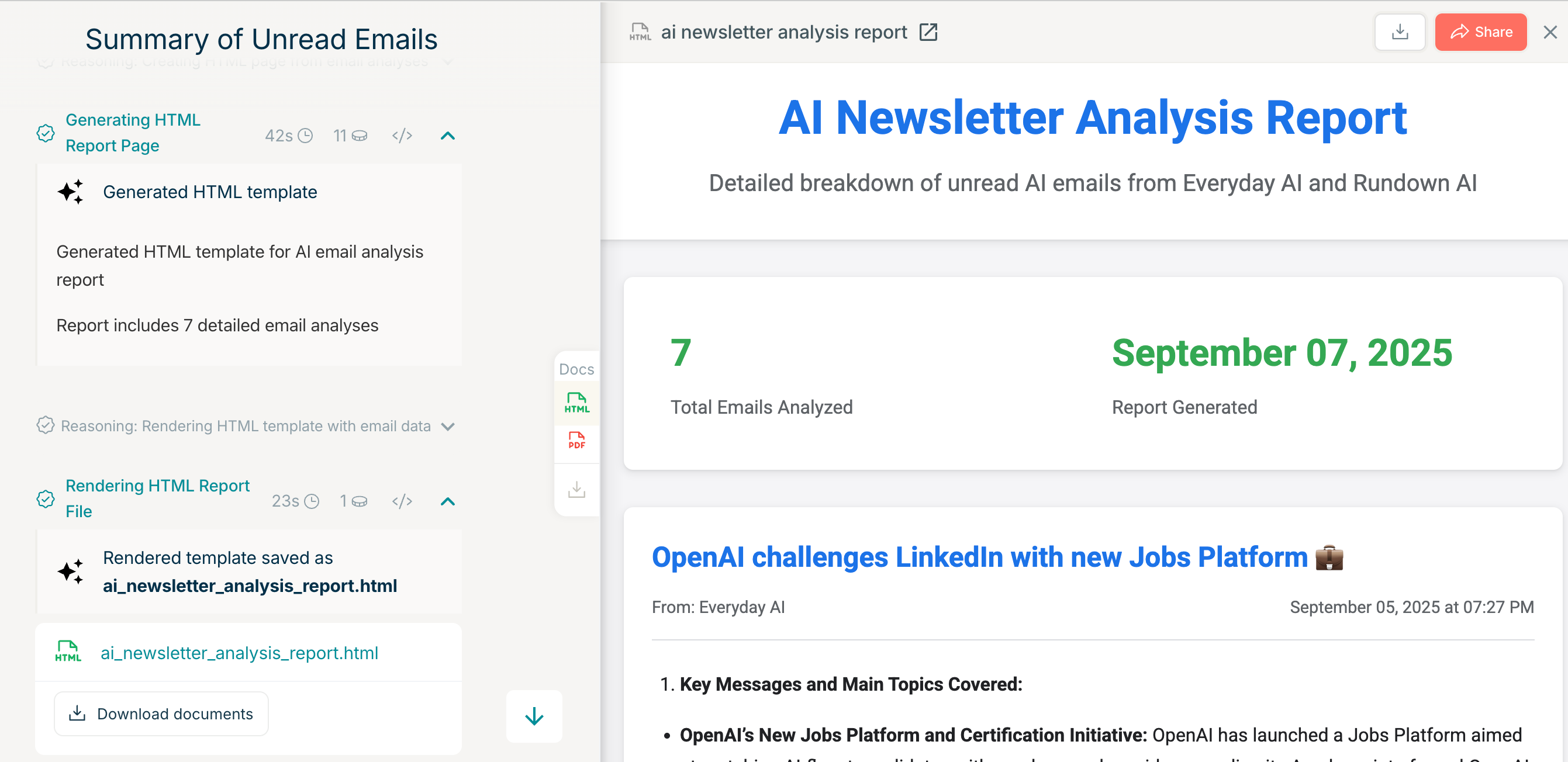
Summarize my most recent unread emails (up to 10). For each email, give me an overview of the key messages and explain why it matters. Return the result in an HTML page format.Note: Why 10? If you’ve got hundreds of unread messages, batching in smaller groups makes it easier to process without overwhelm.
⚠️ And if you’re planning to use this at work, double-check that it aligns with your company’s policy.
The point is—you don’t need hours to “catch up.”
With either of these, you can power through 10 emails in 5 minutes, quickly spot common themes across newsletters.
If there’s a specific topic you want to learn more about, you can always go back to the original email.
Batch reading helps you skim past the noise, narrow down your focus, and spend your energy on the things that actually matter to you.
💭 Final Thoughts
When we procrastinate, it’s rarely about the task itself. It usually points to something deeper.
It’s an emotion-regulation challenge. We avoid tasks not because they’re hard, but because starting them feels emotionally uncomfortable. 
A recent study on academic procrastination shows a strong link between low self-efficacy and emotional regulation difficulties—when you don’t believe you can do something, you delay it.
So one way to beat procrastination? No more negative self talk!
💡With just 115 days left in this year, let’s challenge ourselves:
What’s the one big goal you actually want to reach by year-end?
What would shift if you stopped procrastinating?
And what might shift if you keep putting it off?
You got this!
Xoxo,
Kessie
Every bit of support means so much — just knowing you’re here with me keeps Elevate Squad going 🫶🏻
I like your approach here! Very well done
Thanks for this, I haven't tried AI on my inbox yet - but I am tempted to give it a go. I have perfected an inbox zero system that works for me (I just wrote about it in my latest post: https://weekademia.substack.com/p/inbox-zero-for-academics). I know there is room for more automation and AI within this so might give it a go...